Splice
A video editor that runs in a browser tab.
Splice started as a one-off. I was building a memorial video out of decades of family footage, and every editor I tried made a simple job feel like operating heavy machinery. So I built the editor I actually wanted: a timeline in a browser tab, nothing to install, no license, no project file to lose.
It became my main video editor. Import footage and photos, trim and arrange on a timeline, preview, export. And because the machine is already watching every frame, it will also propose a first cut instead of handing you an empty timeline.
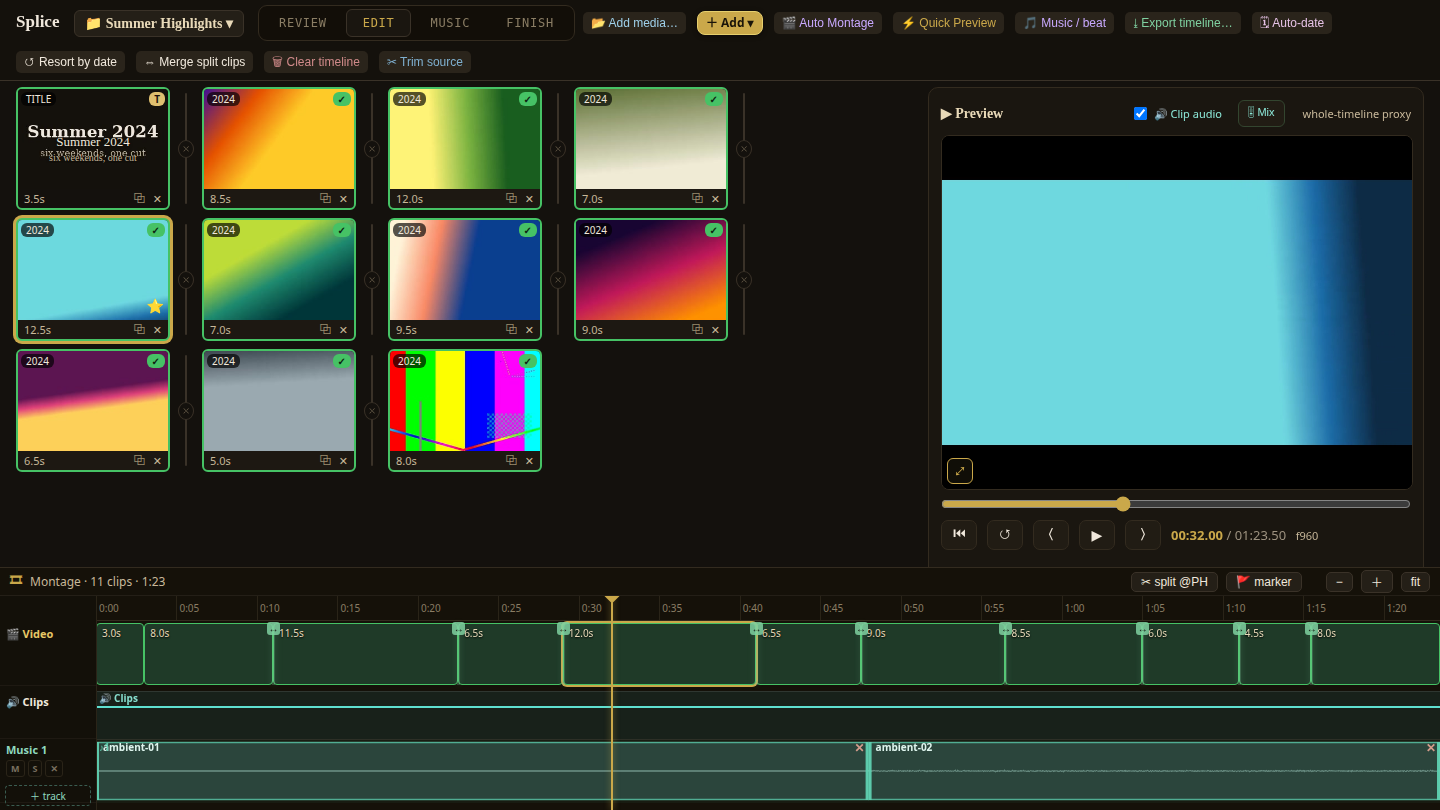
A real timeline, in a tab
Clips and photos on a track you can trim, reorder, and scrub, with a live preview. It opens in a browser, so there is nothing to install and nothing to license.
First cuts, made for you
Point it at a pile of raw footage and it finds the parts worth keeping: where people are talking, where the scene changes, where faces are in frame. It arranges those into a starting point you then edit, which is a far easier job than starting from nothing.
Music the edit actually follows
Give it songs and it builds the cut around them, so the picture changes when the music does instead of drifting past it.
Exports that finish
Rendering uses the graphics card when there is one and falls back to the processor when there isn't, so an export completes on whatever machine it happens to be running on.
The first version existed to solve one problem in one week: hours of family video, a deadline, and no patience left for professional editing software.
What surprised me was how little of editing is creative. Most of it is scrubbing, hunting, labeling, and waiting. That is exactly the kind of work I take out of businesses for a living, so I pointed the same approach at it.
What it proves: Heavy technical work does not have to look heavy. That is the instinct behind every business system I build: put the hard part behind one clear screen and let the software do the hunting.