How a wheel business replaced its paper workbook with a system that runs the company
AllOEMRims.com sells factory wheels online: thousands of items, each one unique, each needing photos, a description, a price, and a shipping label. In 2012 all of that was done by hand. I built one small tool to speed up the listings, and then, year after year, the system absorbed another piece of the work. It’s called Templatizer, and today it is the company’s back office.
One wheel, from the door to sold
Follow a single wheel through the building, before and after.
- 01Print a blank workbook sheet
- 02Hand-write the specs
- 03Walk the sheet across the shop
- 04Type the listing from scratch
- 05Re-type it into the website
- 06Print the label in another program
- 07Copy tracking back by hand
7 steps, 4 of them re-typing the same information
- 01Photos in
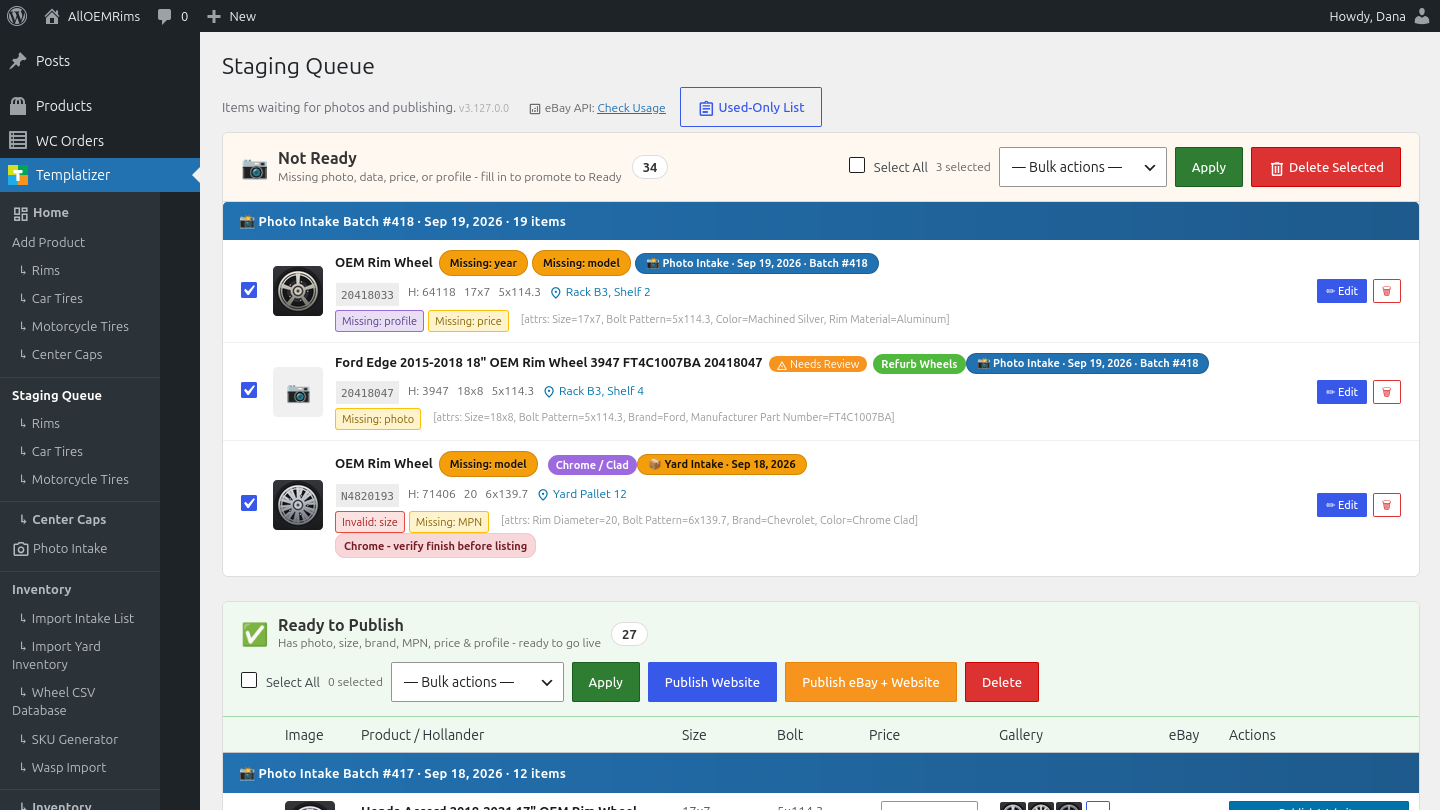
- 02Review in the staging queue
- 03Live on eBay and the site, priced and tracked
3 steps, nothing typed twice
Screens show sample data to protect business records.
Fourteen years, one system
Listings stop being typed from scratch. The first version simply filled in the repetitive parts of each eBay listing, the seed everything else grew from.
Photos and details flow into one review screen. One click publishes to eBay and the company website at the same time, descriptions written automatically.
The system checks the market itself. Competitor prices are looked up automatically and suggested at listing time, then kept current afterward.
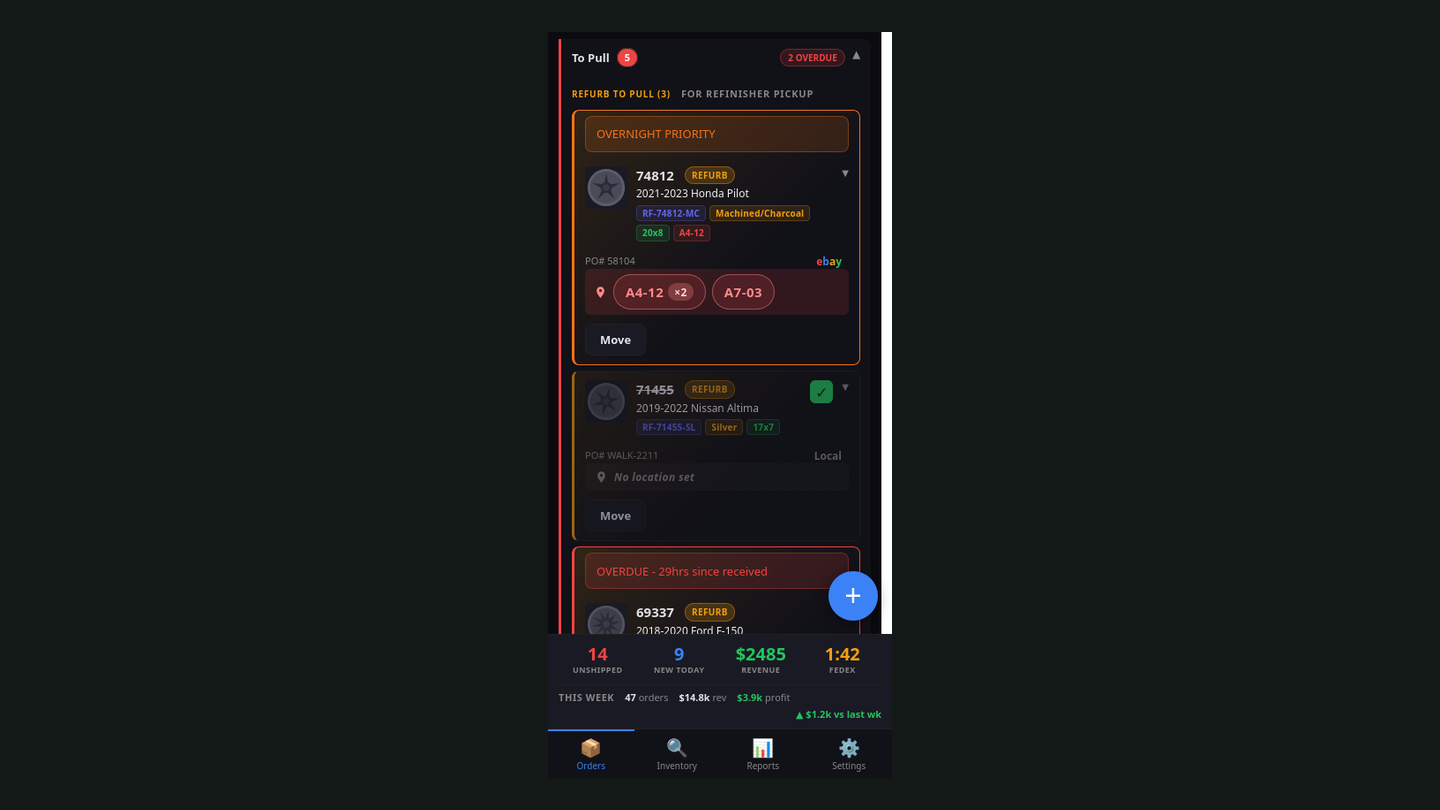
Warehouse scanners reconcile the shelves. Barcode scans keep the books and the building agreeing with each other, and the phone shows where any item sits.
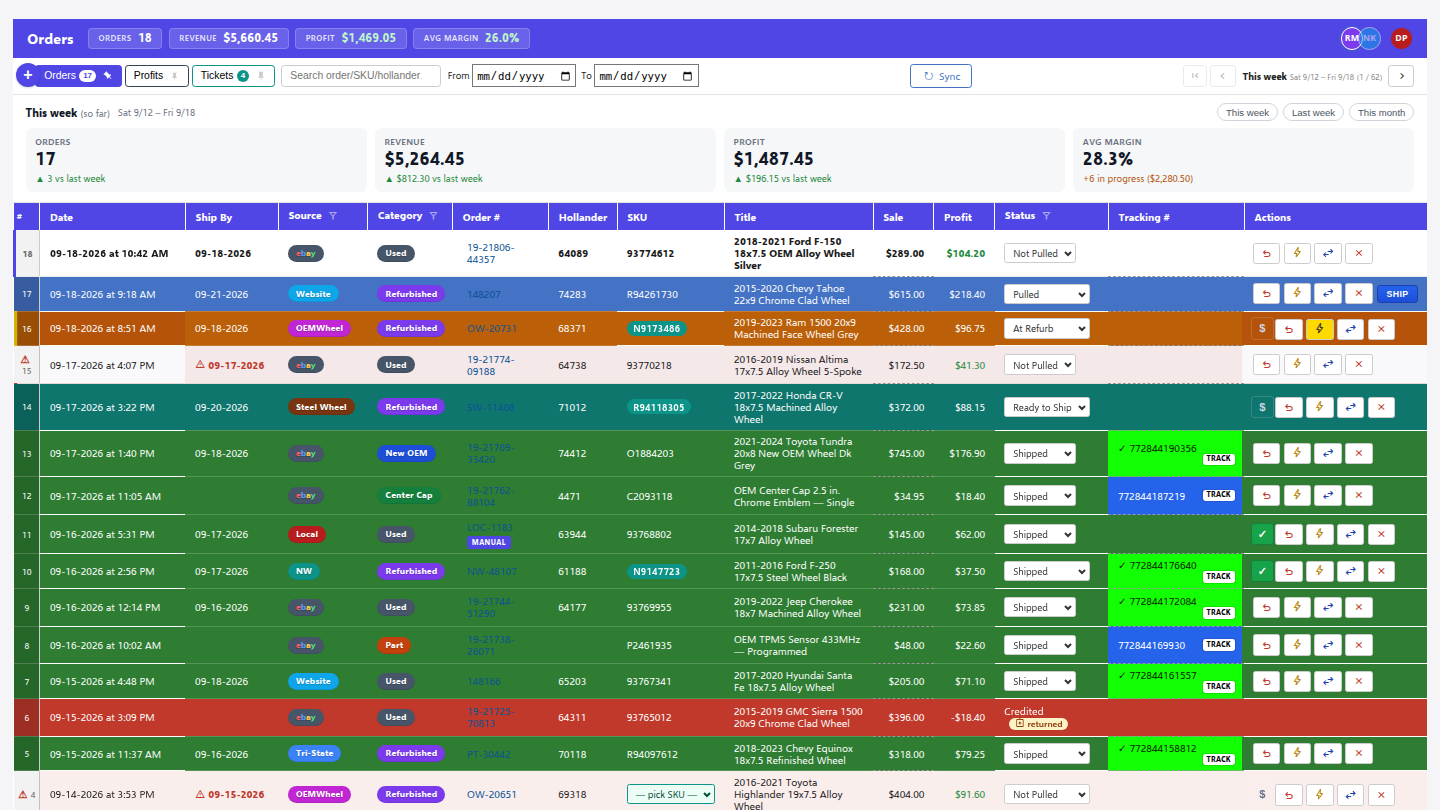
Labels print, tracking updates itself. When a carrier scans a package, the order marks itself shipped. Nobody types a tracking number.
Messages and returns become tickets in one inbox. Questions from eBay, the website, and the phone all land in one organized queue with the order attached.
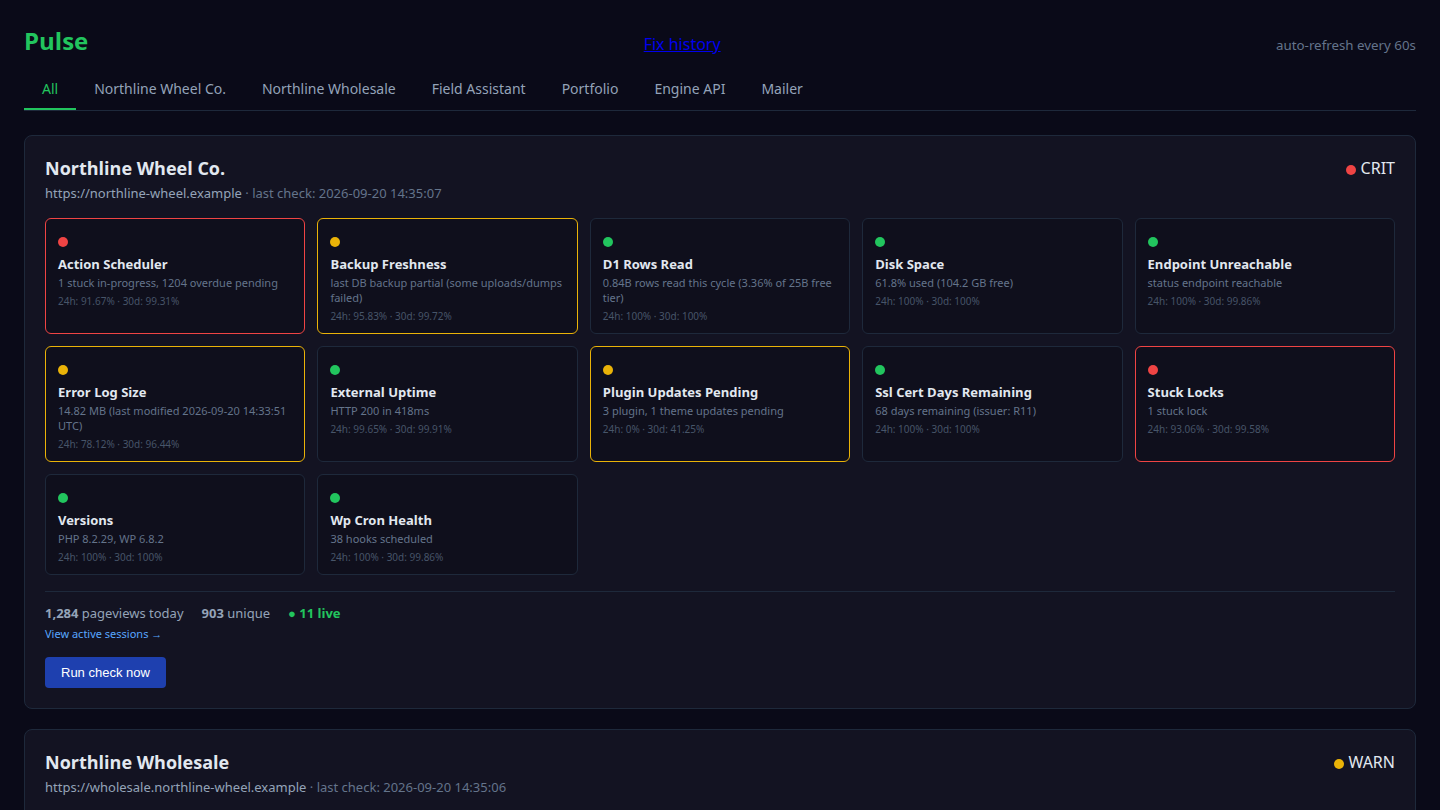
The system watches itself. Backups run nightly and verify themselves; monitoring catches common problems and fixes them before anyone notices.
A receptionist that never misses a call. An AI answers the business line, looks up real order and stock information, takes messages, and transfers callers.
One morning, with the system doing the typing
A composite morning, drawn from fourteen years of real ones.
The intake guy gets in first. A pallet of wheels came in late yesterday, and he starts the way he always starts now: pick a wheel up, look it over, set it on the stand, take the photos. Face, back, the stamp on the barrel, the scuff on the lip. He scans a barcode onto it, sets it on the cart, and reaches for the next one. He does not write anything down. There is no sheet.
While he works through the pallet, the system works behind him. It reads what he scanned, recognizes what each wheel is, pulls the specs it already knows, writes the description, and lines the finished listing up in the staging queue with the photos attached and a price suggested from the live market. By the time he racks a wheel on its shelf, the listing for it is sitting in the queue, waiting for a human yes.
In the office, somebody flips through that queue between other jobs. Looks right. Looks right. Fix the photo order on that one. Looks right. Publish. Each yes puts a wheel live on eBay and the company website at the same time, priced, photographed, and pinned to the exact shelf it is sitting on.
The overnight orders are already on the tablet by the packing bench, lined up as cards: pull this, pack that, ship these. When a box gets packed, the label prints. Nobody types an address. Nobody copies a tracking number. When the carrier scans the package, the order marks itself shipped and the customer hears about it without anyone touching a keyboard.
The phone rings while every pair of hands is full, and it gets answered anyway. If the caller is asking where their order is, the answer comes from the same system that printed the label. If it needs a person, it becomes a ticket in the same queue as everything else, with the order already attached.
And the owner, who is not in the building, checks the day from his phone: what sold overnight, what is on the floor, what shipped, what the week looks like. Not a report someone had to put together. The actual state of the business, live.
Nobody in this morning typed the same thing twice. Nobody walked a sheet of paper across the shop. The people did the parts that need a person: hands on the wheel, eyes on the listing, judgment on the odd case. The system did the rest. That is what I mean by taking the leg-work out.
The system, on screen
Before and after
| Before | After |
|---|---|
| Two people, paper sheets, and typing, for every single listing | One person, photos, and a few clicks |
| Order history scattered across spreadsheets and inboxes | Every order since 2012 in one searchable screen |
| Prices looked up and adjusted by hand | Checked against the market and suggested automatically |
| “Where is that item?” meant walking the warehouse | Shelf location on the phone, updated by barcode scan |
| Errors at every re-copying step | Information entered once, flowing everywhere it’s needed |
Worth knowing: I didn’t build this as an outside contractor. I worked inside the company and used it every day for fourteen years. That’s why it fits, and it’s how I approach every build.
The engagement ran from 2012 to 2026. When the owner decided to wind the business down in 2026, the system was still running it, every day, to the last day.
Curious what the rest of the system looks like? See the systems → or start with the thing that annoys you most →
There is also everything else I’ve built →